Connect Your AI to the Hidden Web in Seconds using this Insane AI
Use Apify AI to connect language models to harder-to-reach web data, automate scraper selection, inspect datasets, and build deeper research workflows.

One of the most impressive capabilities of AI is its ability to take vast amounts of unstructured data and distil it into clear, actionable insights.
If we consider how AI acquires knowledge, it exists on a spectrum.
1. Ungrounded (pre-training): pure parametric knowledge, i.e. what the model has learned during training or thinks it knows
2. Basic web search: better grounded, but still prone to noise, outdated pages or superficial information scattered across the open web.
3. Deep research: features built into modern AI providers (such as ChatGPT, Gemini and Perplexity) that provide more in-depth search results.
However, even today's "deep research" isn't nearly as in-depth as you might think.
If you ask your favourite AI to conduct deep research on a specific LinkedIn post, Instagram feed or private community page, it will return something — but if you inspect the output closely, you'll be surprised by how superficial it actually is.
Why does Deep Research fail here?
The reason is simple. AI models primarily crawl the publicly available web that is indexed by search engines. They struggle with 'walled gardens' — platforms that actively block scrapers, require logins or restrict public API access, such as LinkedIn, Instagram, X, Meetup and specialised forums.
Although platforms such as Reddit have entered into lucrative licensing agreements with AI companies to share their data, most major social platforms remain inaccessible. At best, an AI model may capture residual data fragments that have leaked onto public Google index pages, but it rarely captures the full picture, such as complete comment threads, full user metadata or engagement lists.
Try it yourself
Open your favourite AI tool and ask it to retrieve all the underlying data for this link, such as post comments and full engagement metadata Link.
It will almost certainly fail or hallucinate details.
The Traditional Solution (And Why People Didn't Use It)
Technical readers will instantly recognize the classic fix: web scrapers.
Market leaders such as Apify and Bright Data solved the access problem a long time ago. Apify provides users with access to hundreds of specialised, developer-built scrapers that can navigate protected APIs and web structures on platforms such as LinkedIn, X and Instagram.
So why hasn't everyone been using web scrapers to power their AI queries?
Historically, it was too technical. Users had to manually search for the correct scraper ('Actor'), configure complex JSON parameters, manage API keys, track computing costs and clean the raw output data themselves.
A long time ago, Apify provided an MCP interface for its entire platform, but it was still too tedious to use, even for technical users. There are several reasons for this, including:
- The selection process for actors is based on various factors such as cost and reliability.
- the heterogeneous schemas of actors (each actor has its own input and output formats)
- Aggregating and processing vast amounts of data returned can be problematic. It can be enormous, and feeding all of it into your AI is not a good idea
And, frankly, many more problems besides.
But recently, Apify came up with a few solutions to address exactly those issues.
The Game-Changers: MCP and Apify AI
Apify recognized these friction points and introduced two major solutions to eliminate the technical barrier:
1. Model Context Protocol (MCP) Integration: An MCP tool mcp ultimate scraper handles the heavy lifting directly within your AI workflow. It automatically selects reliable scrapers based on your budget, parses your prompt parameters, and feeds clean data straight back into your agent.
2. Apify AI: A zero-setup feature that turns natural language questions into scraped, structured answers automatically.
With Apify AI, you ask a question that your standard AI model can't answer due to missing web data, and Apify’s AI engine figures out how to fetch the answer itself using its vast scraper marketplace.
You can find all the details about this amazing new feature here:
https://docs.apify.com/account/apify-ai
How Apify AI processes your query:
- Breaks down your prompt to determine the target platforms (LinkedIn, Instagram, X, etc.).
- Searches the Apify Actor marketplace for the best tool.
- Checks community ratings and performance.
- Maps your prompt requirements to the scraper’s required inputs.
- Configures and executes the run behind the scenes.
- Reads, parses, and synthesizes the scraped results into a final answer.
For example, you can ask prompts like:
- "Find all decision-makers who commented on this post and summarize their titles."
- "Extract user profile details and engagement metrics for this specific handle."
Step-by-Step Walkthrough
Imagine you posted a product announcement on LinkedIn, got a wave of engagement, and want to know who those people actually are without spending hours clicking through profiles manually.
(Note: For this demonstration, we picked a random public profile to test the workflow.)
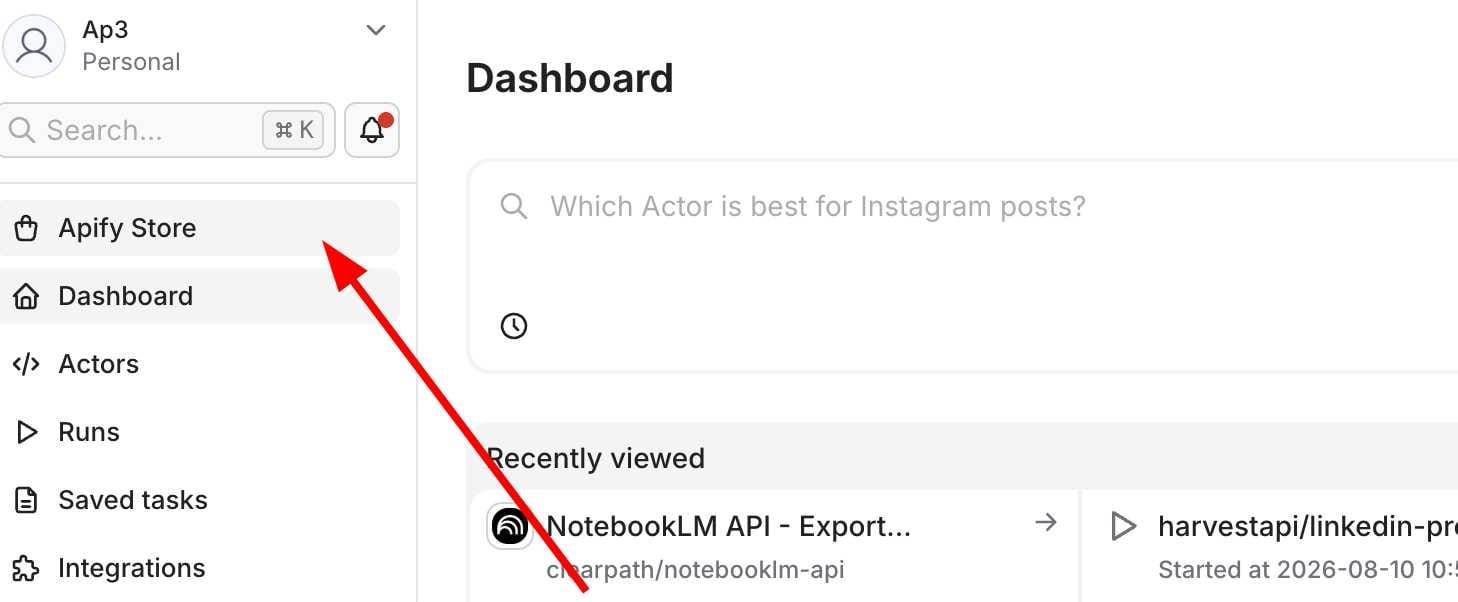
Step 1: Open the AI Chat
First, navigate to the Apify Console and open the AI chat prompt.
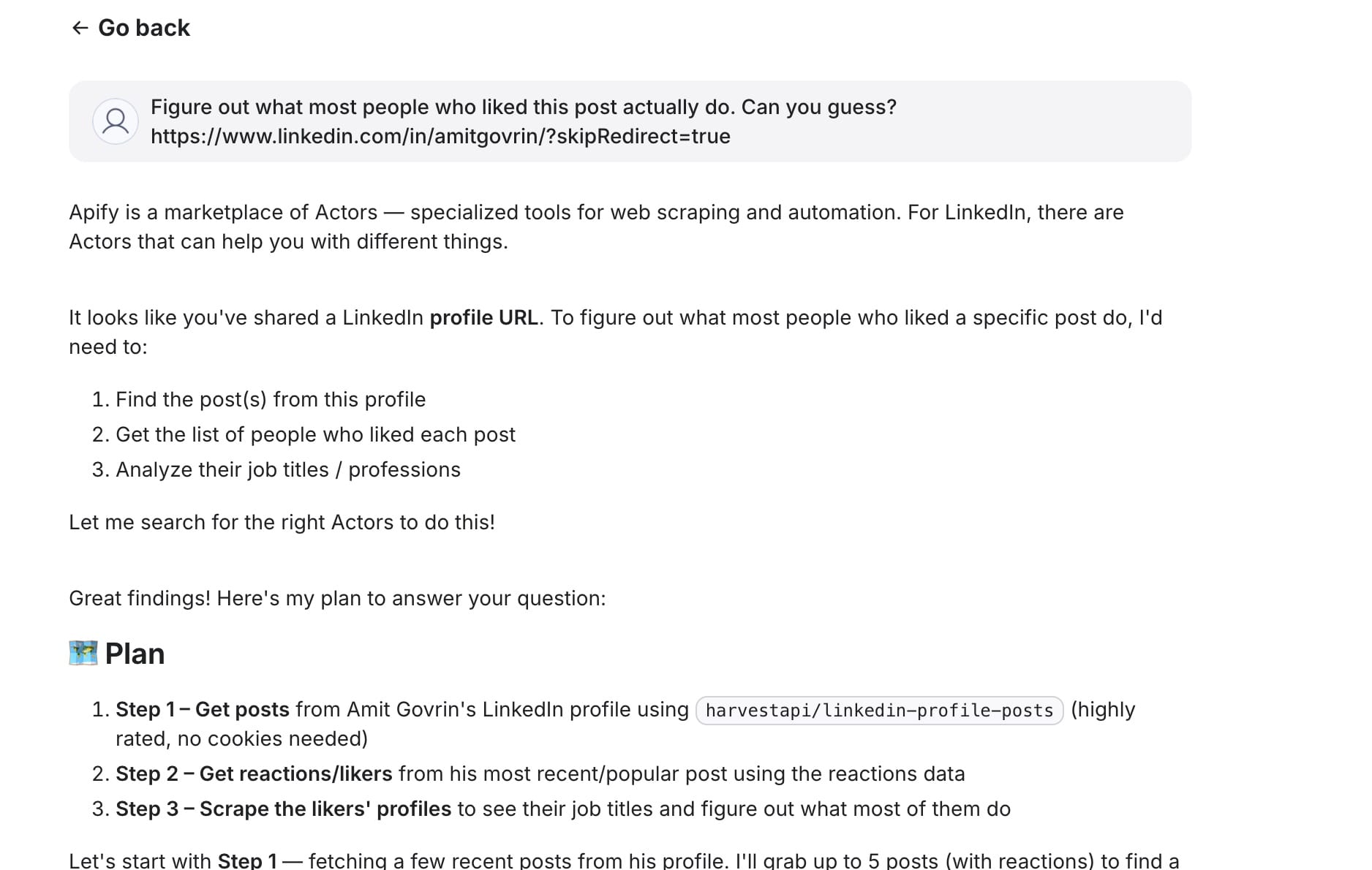
Step 2: Enter Your Prompt
Enter your request in plain English, and let Apify AI break down the logic and select the right Actor automatically.
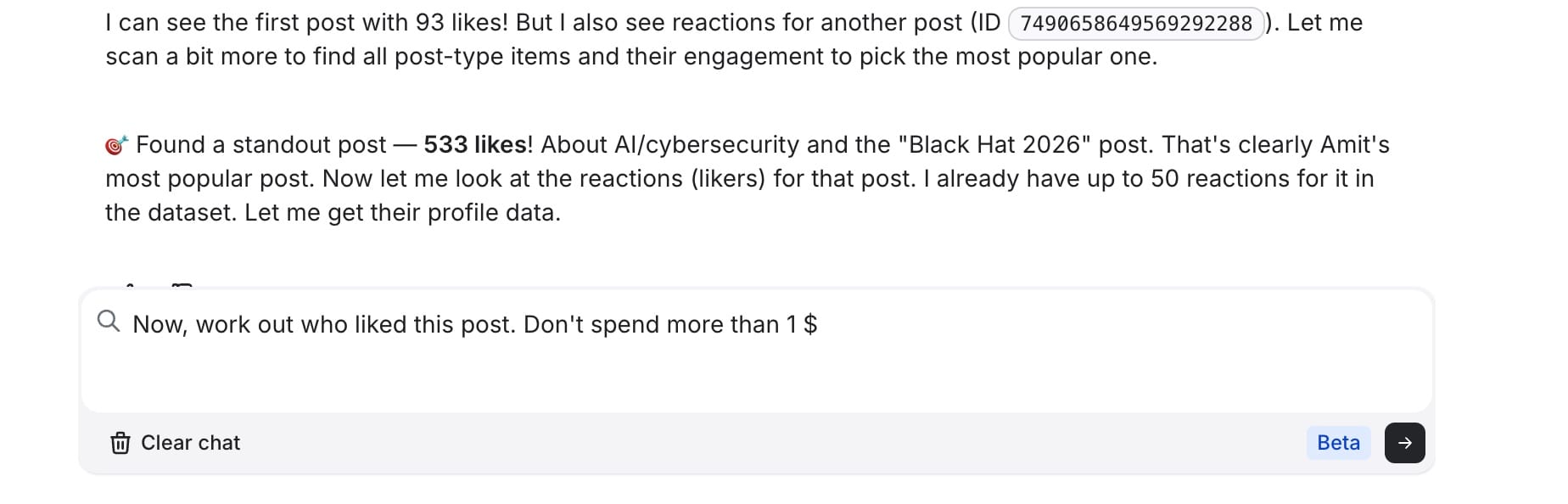
Step 3: Automated Execution & Evaluation
In a few seconds or minutes, the AI recognizes when the scraping run finishes and begins evaluating the raw dataset.
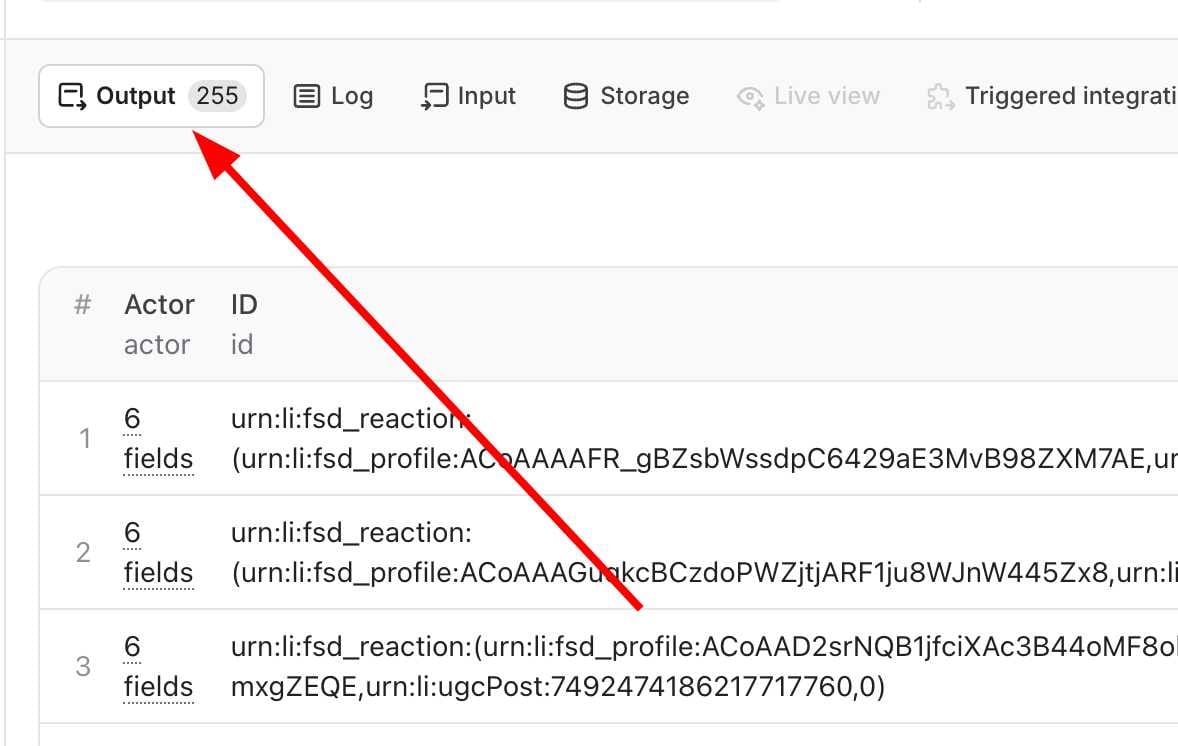
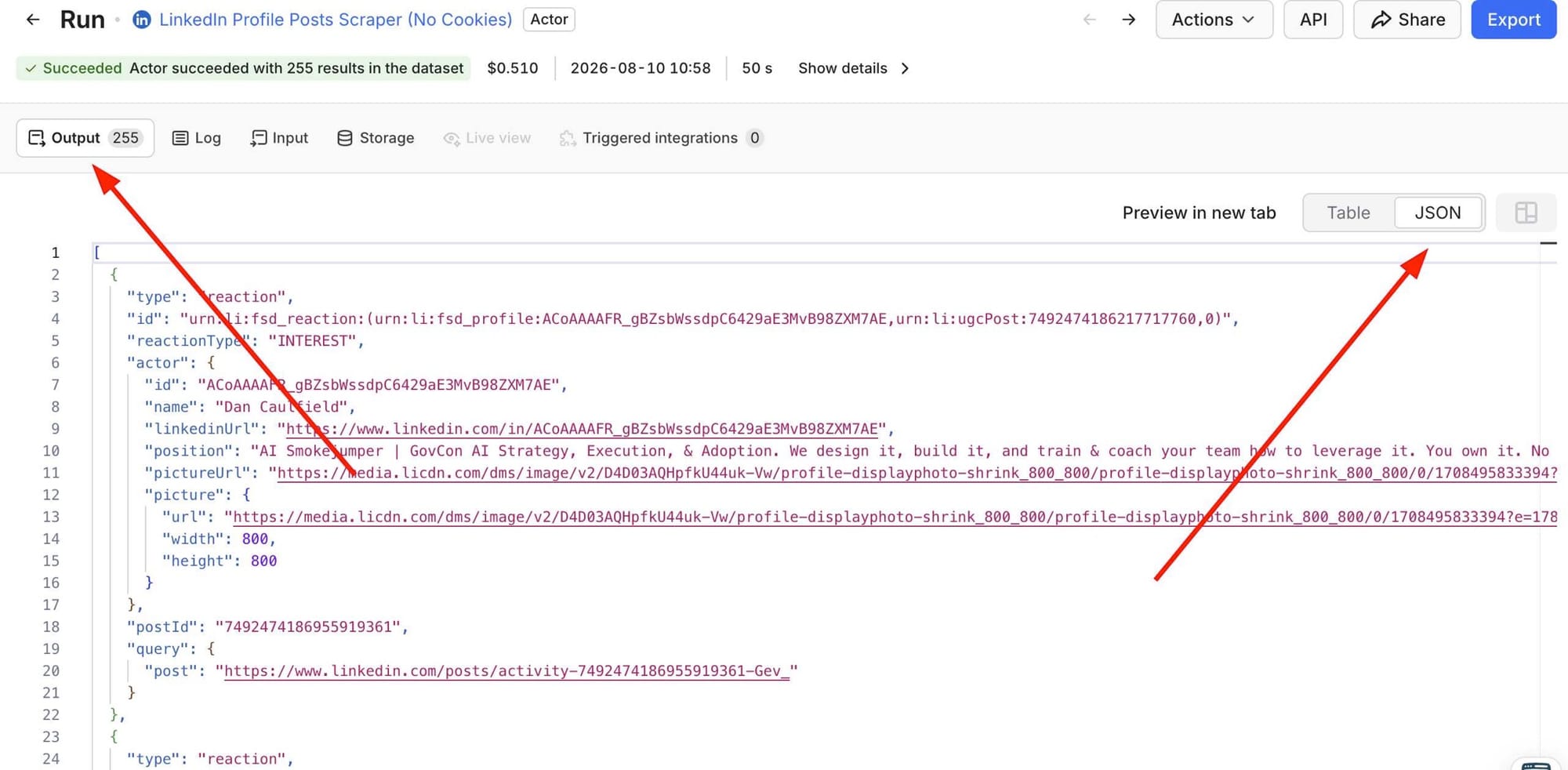
Step 4: Inspect the Underlying Data
You can track real-time logs and inspect the structured underlying data on the left panel.
Step 5: Dig Deeper & Integrate
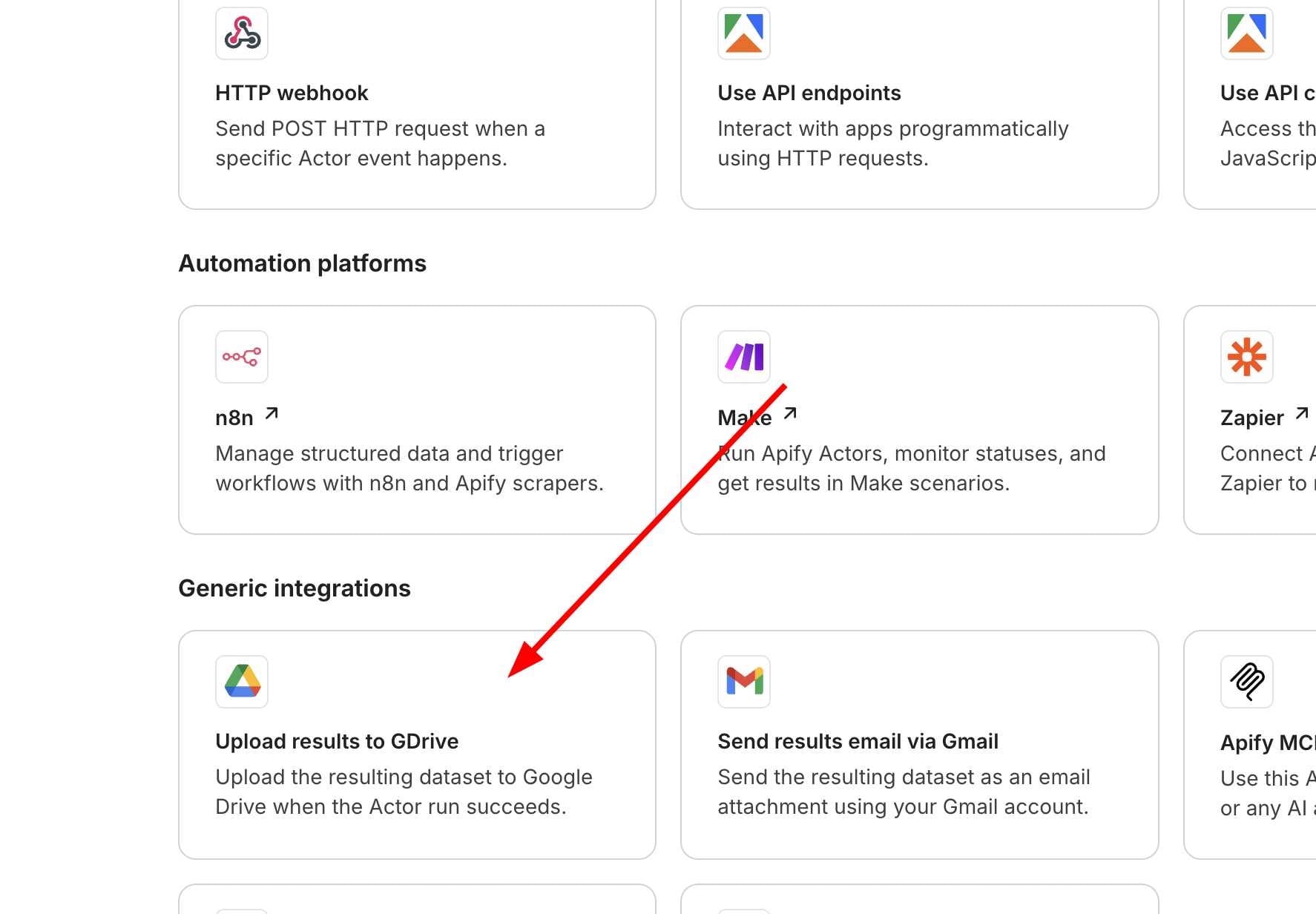
From here, you can ask follow-up questions, export datasets, or set up integrations. For instance, you can automatically send the scraped results to Google Drive or NotebookLM to synthesize deep reports, visualize trends, or build customized knowledge bases.
Final Thoughts
This strategic move by Apify dramatically lowers the barrier to entry for web scraping. What used to require developer knowledge can now be accomplished by anyone with a simple text prompt.
We are only scratching the surface of what’s possible. In upcoming posts, we’ll dive even deeper into advanced features like custom MCP setups and utilizing the Ultimate Scraper tool. Stay tuned!