
From PDF to Podcast: The MIT Tool That Goes Beyond NotebookLM
Google's NotebookLM, known for transforming texts into engaging podcast-style conversations, faces limitations like lack of customization and API. However, open-source alternatives on platforms like Hugging Face offer customizable solutions to generate podcasts from documents, offering more contr...
NotebookLM is one of Google’s more creative AI products, introduced a couple of months ago. Many people were amazed by its abilities—especially the idea of turning a long text into an interesting conversation between two podcast hosts. NotebookLM offers more than that, such as chatting (Q&A) and even generating mind maps. If you haven’t tried NotebookLM yet, I highly encourage you to experience it yourself. It’s free and really easy to use.
The Problem
This is great, but some advanced users, including developers, want more and quickly run into limitations—at least in the free version:
- You can’t select the hosts’ character.
- You can’t change the prompt.
- You can’t select the length or depth of the conversation.
- … and pretty much anything else that goes beyond uploading the document and telling NotebookLM what to focus on, which was added recently.
- Most importantly, it has no API… yet (at least not in the free version)
---
The Solution
As we often see these days, for almost every commercial solution, open-source alternatives appear—if not many. The same goes for NotebookLM.
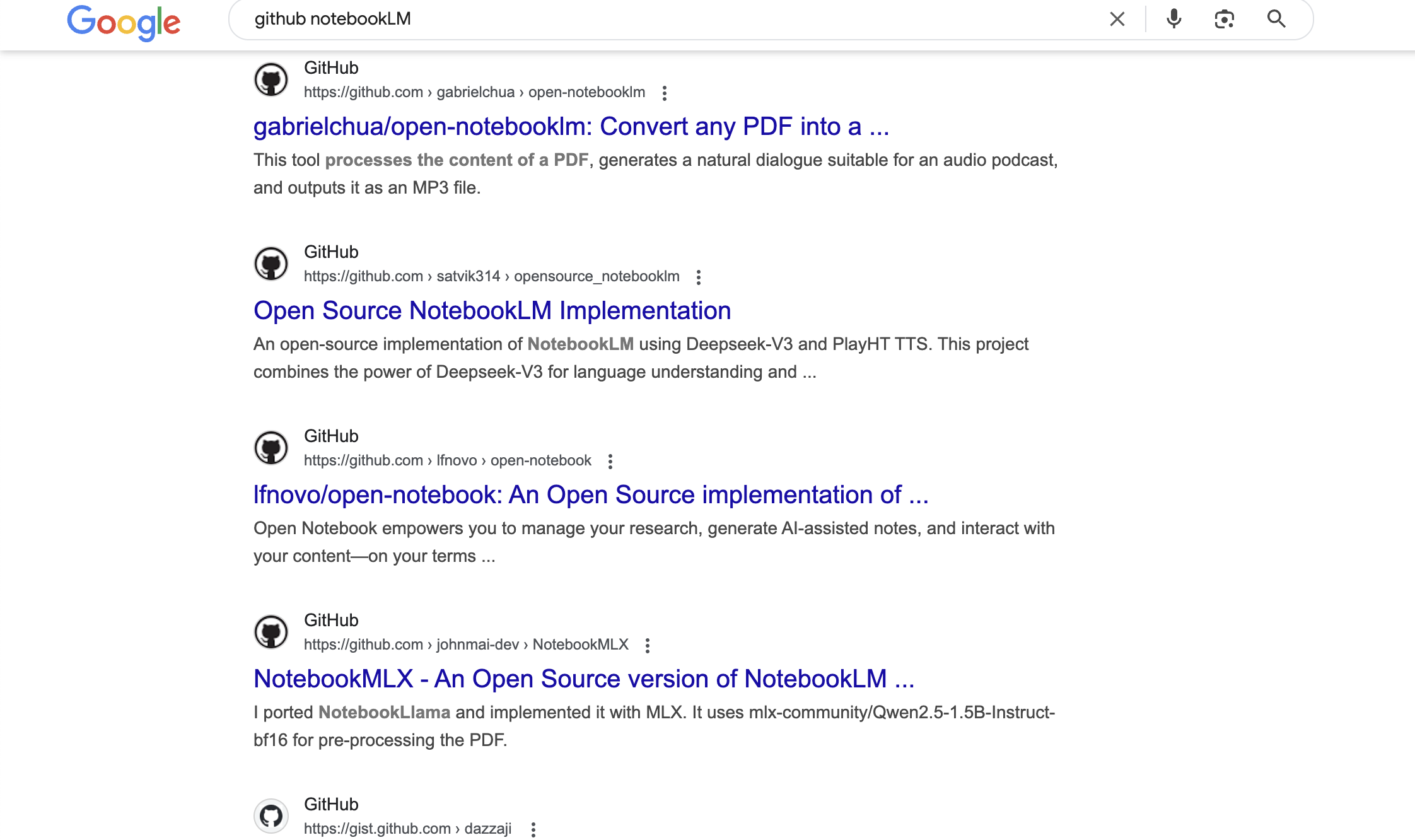
When you search on GitHub for NotebookLM, you will find plenty of projects.
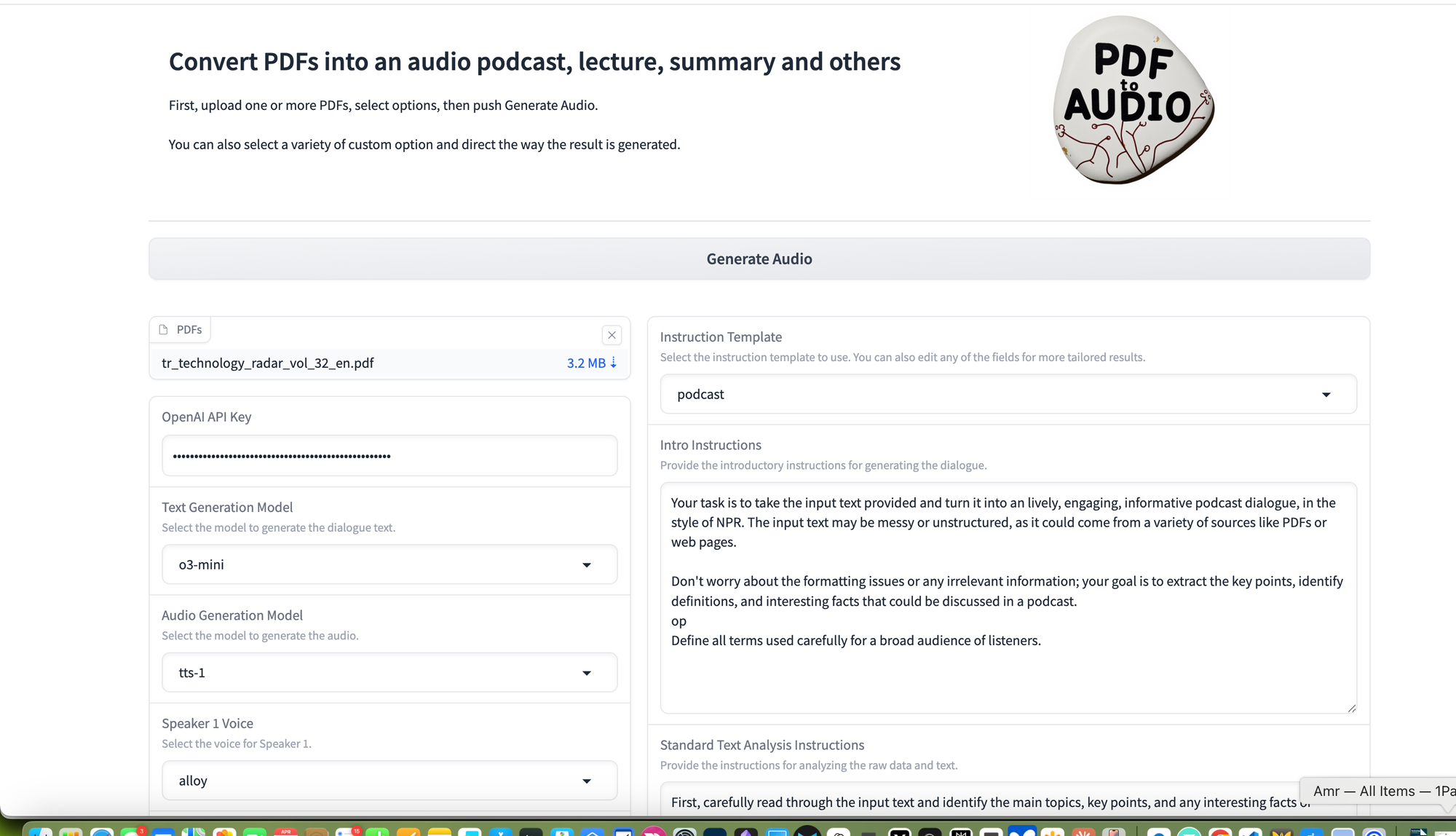
If you just want to test a solution without installing or configuring anything, there is a Hugging Face space that can do exactly that.
Generates an engaging two-host podcast from any uploaded document
Many thanks to the developers of this lamm-mit space:
https://huggingface.co/spaces/lamm-mit/PDF2Audio
What You Need
- A Hugging Face account (free)
- An OpenAI API key. We will be using the TTS API for that.
The Cost
To get an idea of how affordable inference and TTS can be, in the experiment I share here, I made a podcast of a technology trend report with about 50 pages, resulting in a 15-minute podcast. It cost me around 26 cents.
Here is how it works in a nutshell:
- The user uploads a document (for example, a PDF).
- It uses OpenAI models (the user can choose which one) to generate the dialogue.
- Then it uses OpenAI TTS with user-selected characters (hosts) to turn it into a podcast. That’s it.
Let’s get started.
---
Step 1: Get the Space
Open the space and optionally clone it:
https://huggingface.co/spaces/lamm-mit/PDF2Audio
---
Step 2: Upload the Document and Customize
Upload any document you want to turn into a podcast. In this example, I used a 50-page tech report.
The best part is that you can customize everything:
- The prompt
- The model selection
- The characters
- … etc.
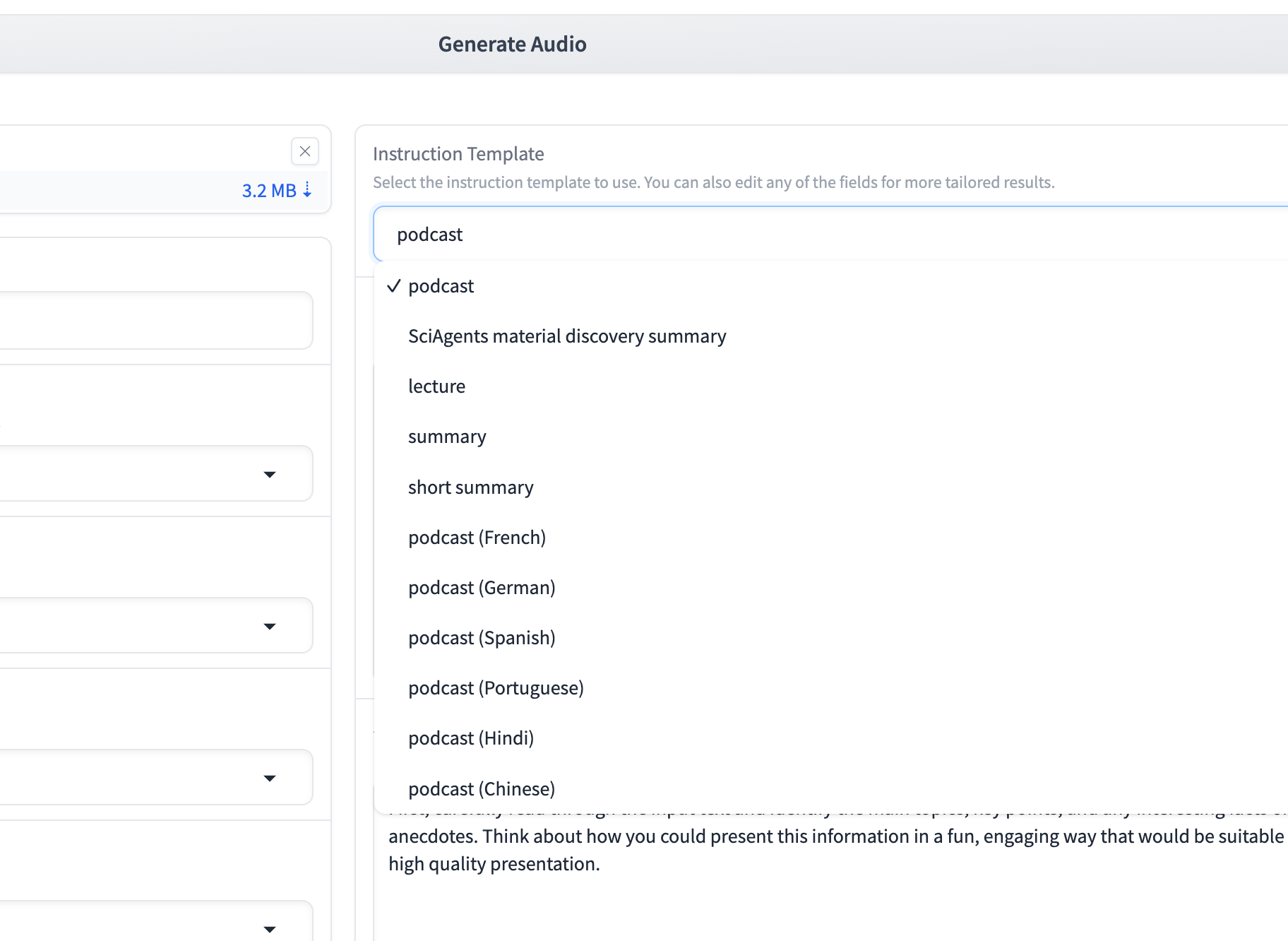
To avoid lengthy prompting attempts, you can also choose from a predefined set of instruction templates that set the prompts for you.
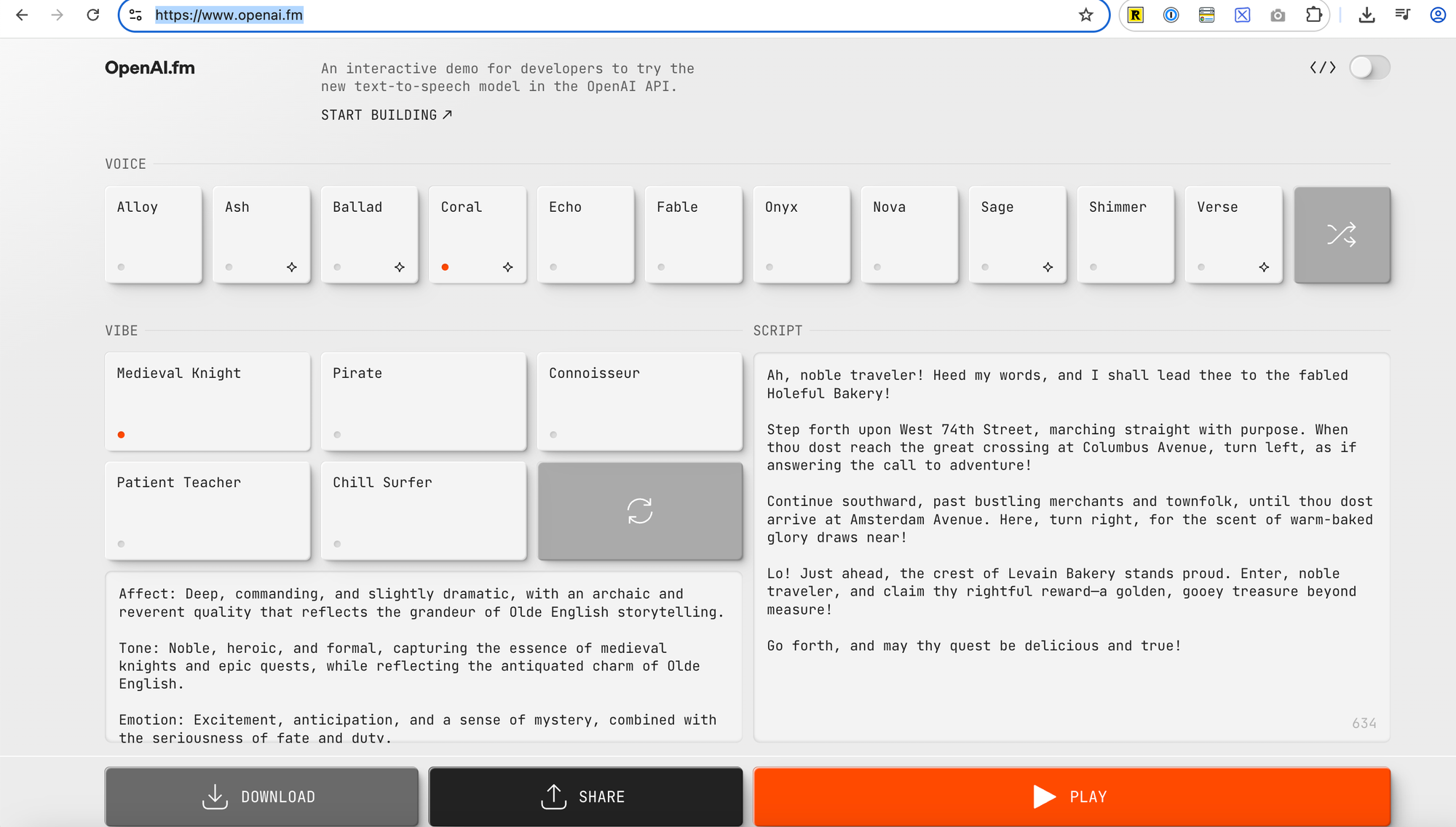
If you want to test the characters’ voices first, you can use the OpenAI playground to hear these voices:
---
Step 3: Generate the Podcast
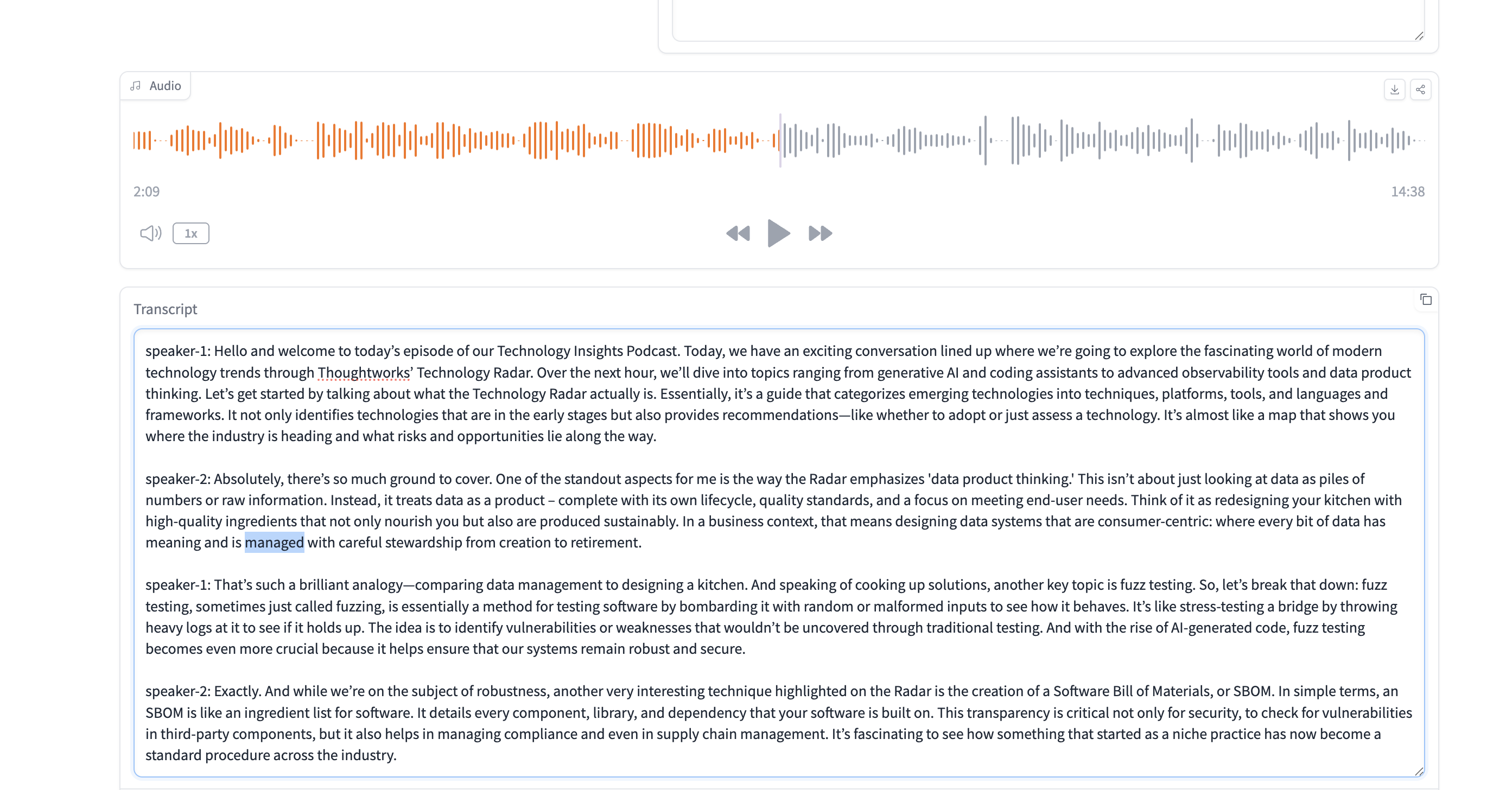
After you have entered all the required information, just click Generate Audio and scroll down a bit to see the progress (in the top part, you won’t see any changes, so don’t get confused).
After a few minutes, the app will produce an engaging podcast using the uploaded document and the hosts you chose.
In my test with a news trends report, it made a 15-minute podcast. I find it impressive how natural it sounds.
---
The API
The lack of an API is one of the missing features I mentioned earlier, and many people are asking for it.
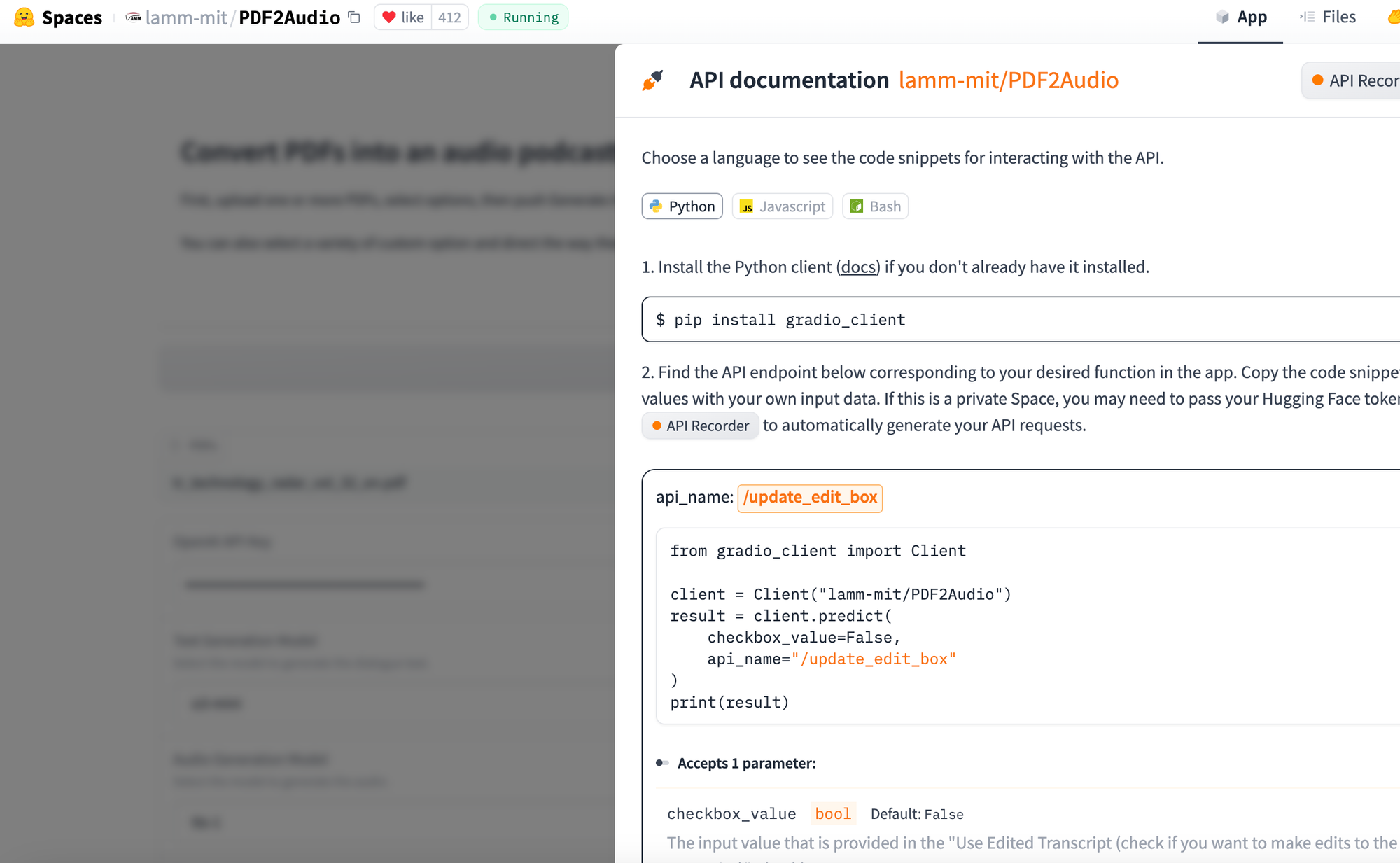
With Hugging Face spaces, you don’t have to worry about that—because it’s a Gradio app, which automatically provides an API for any space you create on Hugging Face (or run locally).
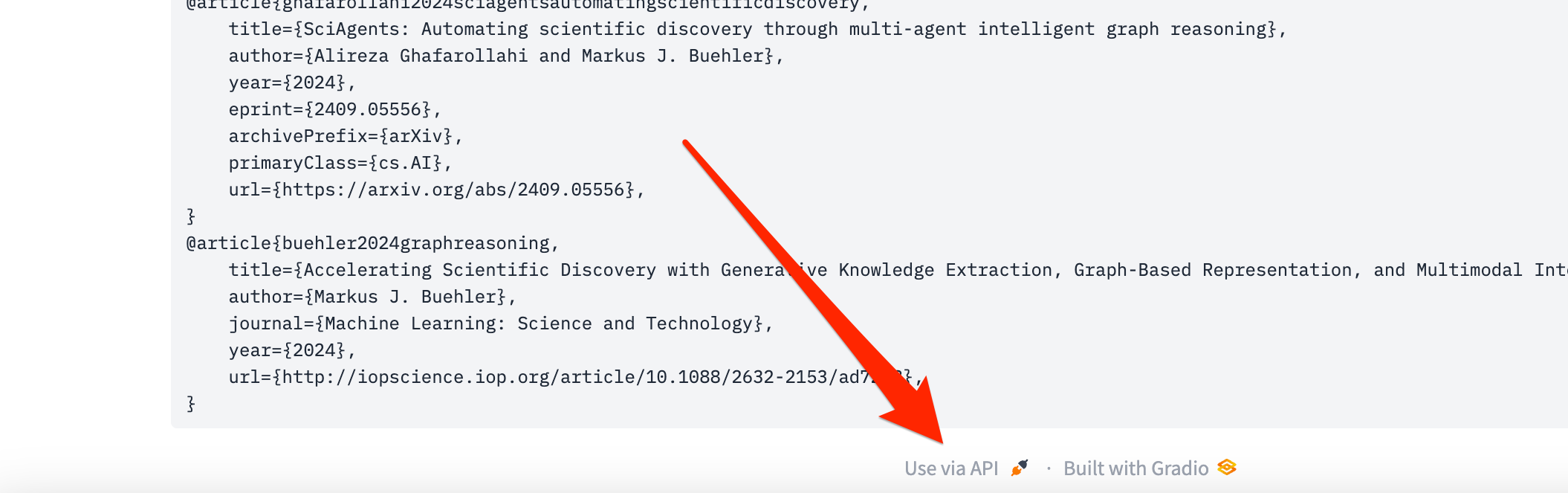
You can see all the parameters of the API, including code examples to use right away, by scrolling to the bottom of the space and clicking Use via API. By the way, this is true for any Hugging Face space, not just this one.
Now you can generate a podcast on the fly for any document you like.
Because it’s open source, the possibilities are endless for customizing and choosing different settings than those used by NotebookLM (which admittedly produce great results).
Having more control and an API could be an appealing alternative.
Limitations
That said, there are also some differences compared to NotebookLM.
- You can’t share the artifacts (podcast) easily if you want to.
- You can’t chat with your documents or the hosts. This space is only for generating podcasts, although it can also produce a few other formats based on the chosen instruction template.
- You need an OpenAI key. (If you’re a developer, you can modify it to use free Gemini or any model you prefer)
- Context Limitations on very long documents.
---
Wrap-Up
NotebookLM is an exciting technology that has inspired the open source community and many projects - not just this one - to transform potentially difficult texts into more engaging formats, making even the most difficult topic more accessible than ever before, and this is just the beginning.