
Anthropic Combined 3 Years of AI Lessons Into One Feature
Anthropic just released a new feature that might change the way we interact with AI entirely. After years of experience with generative AI—learning what works and what doesn't—they've combined the best approaches into something remarkably practical: Skills.
This isn't just another incremental update. It's a thoughtful synthesis of what we've learned about making AI actually useful in real workflows. In this post, we'll dig deeper into what Skills are and why they really matter for everyone working with Claude.
What Are Claude Skills?
Think of Skills as specialized instruction sets that extend Claude's capabilities beyond its core training. When you enable a Skill, you're essentially giving Claude access to expert knowledge in a specific domain or teaching it to follow your particular workflows.
Skills work seamlessly in the background. You don't need to explicitly invoke them or remember special commands. Claude automatically identifies when a Skill is relevant to your request and uses it to deliver better results. They transform Claude from a general-purpose assistant into a personalized tool that understands your unique needs.
What's Inside a Skill?
Skills are surprisingly simple in structure. Each skill is just a folder containing a SKILL.md file with two essential components:
YAML Frontmatter - Two required fields:
name- A unique identifier (lowercase, hyphens for spaces)description- A clear description of what the skill does and when to use it
Markdown Instructions - The actual guidance Claude follows, including:
- Core instructions and workflows
- Examples of usage
- Guidelines and best practices
Optional: reference files, scripts, assets, or code snippets
That's it. No complex schemas, no API specifications to parse. Just natural language instructions in a markdown file that Claude can read and understand.
To make this even easier, Claude can itself generate the entire skill for you (we'll see how later), and you can add it directly in Claude Code or Claude.ai.
Skills vs. Other Approaches: Finding the Sweet Spot
Skills occupy an interesting middle ground in the AI tooling landscape. They're more deterministic than purely agentic approaches, yet more flexible than hard-coded procedures.
The MCP Challenge
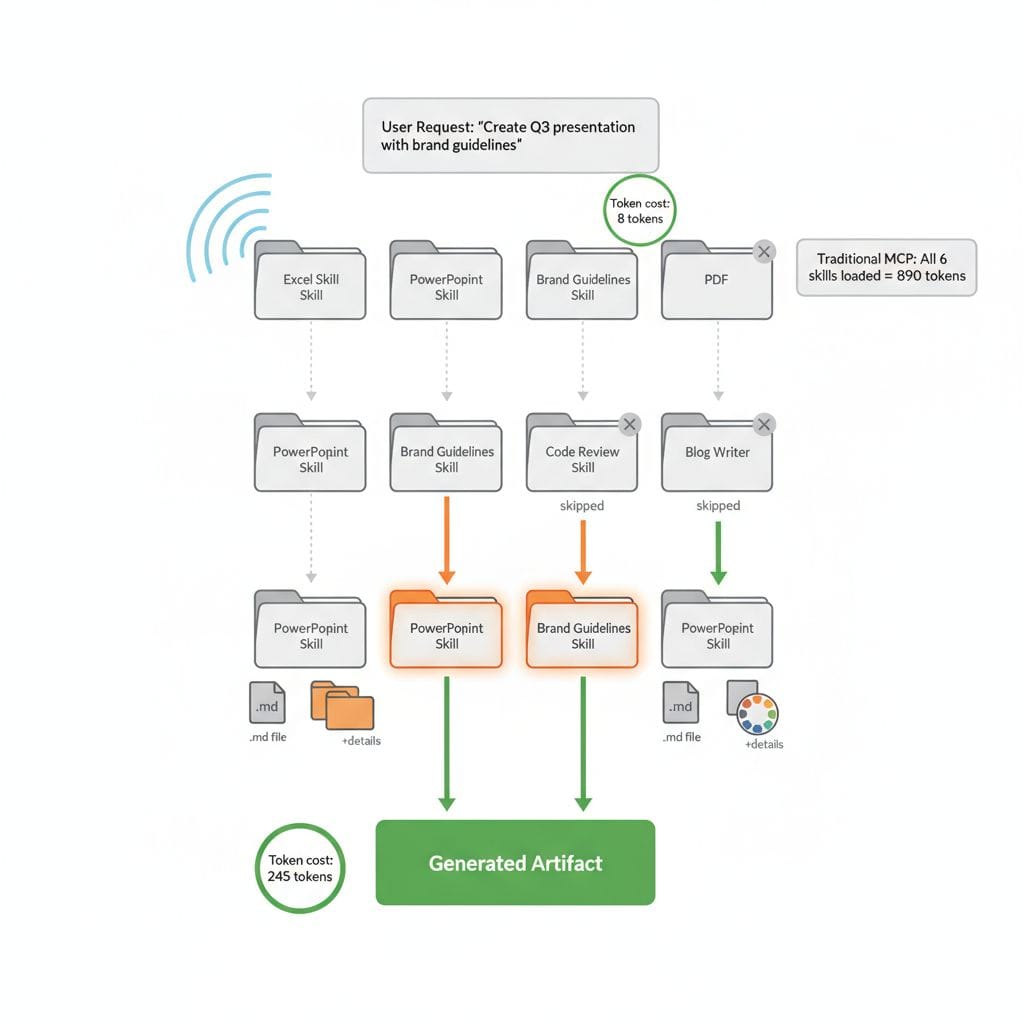
Tools like Model Context Protocol (MCP) typically work by having Claude read the entire schema and all available tools first, then determine what to do and which ones to use. This front-loading approach has a significant cost: you're consuming tokens on every tool definition regardless of relevance. In practice, you often find yourself manually toggling tools on and off to save tokens, especially when you have many integrations available but only need a few for a specific task.
How Skills Are Different
Skills work the way humans actually work. You don't need to read an entire book cover-to-cover to understand what it's about—you skim to get an overview, then dig deeper into relevant sections. This is exactly how Skills function.
Claude doesn't need to read every detail of every skill upfront. Instead, it skims the available skills to understand what each one offers, then loads the full details only for the skills it actually needs for your task. You don't even have to explicitly tell Claude which skills to use—it determines this by itself based on your request and the skill descriptions.
The Best of Both Worlds
This approach delivers several key advantages:
Reduces non-deterministic behavior - By providing clear, documented workflows in natural language, Skills make Claude's behavior more predictable and consistent compared to purely agentic approaches where the AI makes all the decisions.
Makes workflows explicit and documented - Skills aren't just for Claude—they serve as documentation for humans too. Your team can read a skill to understand exactly how a particular process should work. The instructions are transparent and editable.
Flexibility to optimize intelligently - Skills have the flexibility to hard-code operations that don't need agentic behavior at all. For example, counting words in a document doesn't require AI reasoning—a simple code tool can do this in seconds rather than consuming massive tokens for Claude to process. Skills let you embed these efficient, deterministic operations alongside natural language guidance.
Token efficiency - Unlike MCP's read-everything-first approach, Skills only load what's needed. This means lower token consumption and faster responses, especially as your skill library grows.
Think of Skills as instrumentation in natural language—they guide Claude's behavior without programming every step, while maintaining the efficiency to use deterministic code when appropriate. This makes them easier to create and maintain than traditional integrations while being more reliable and efficient than completely free-form agent interactions.
Getting Started: Enabling Skills
Before you can use Skills, you need to enable the feature in your Claude App settings.
If you use Claude code, it's as simple as enabling using
/plugin install document-skills@anthropic-agent-skills. You can find more information on this in the documentation.

Navigate to Settings > Capabilities and ensure "Code execution and file creation" is toggled on. Once enabled, you'll see the Skills section appear below it, showing both Anthropic-provided skills and any custom skills you've uploaded.
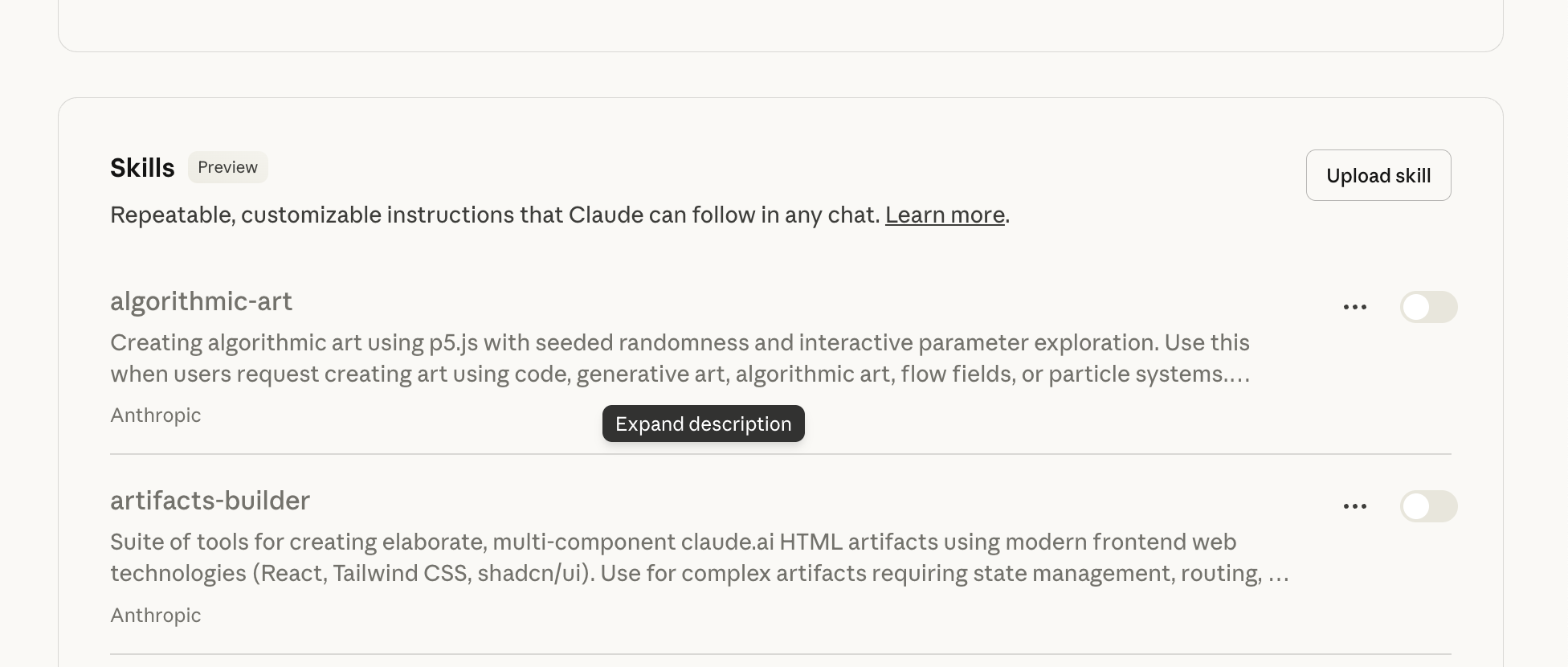
Skills require code execution because they operate in Claude's sandboxed environment, where they can run code, create files, and access specialized tooling.
Built-In Skills: Professional Document Creation
Claude comes with several Anthropic-created Skills that handle common professional tasks. These include enhanced capabilities for creating Excel spreadsheets, Word documents, PowerPoint presentations, and PDFs.
The magic happens when you make natural requests. Ask Claude to "Create a PowerPoint presentation about Q3 results," and it automatically leverages the PowerPoint Skill to generate a professional deck. Request a detailed financial analysis, and the Excel Skill kicks in to build sophisticated spreadsheets with proper formulas and formatting.
You're not learning a new interface or memorizing syntax. You're just asking for what you need.
Skills in Action: A Real Example
In this example, we simply activate one of the example skills provided by Antrohipic: the Brand Guideline skill. The Brand Guidelines skill uses the Anthropic brand guidelines to generate artefacts such as websites and documents. In real-world scenarios, you would, of course, replace these with your own brand guidelines, including colours and fonts.
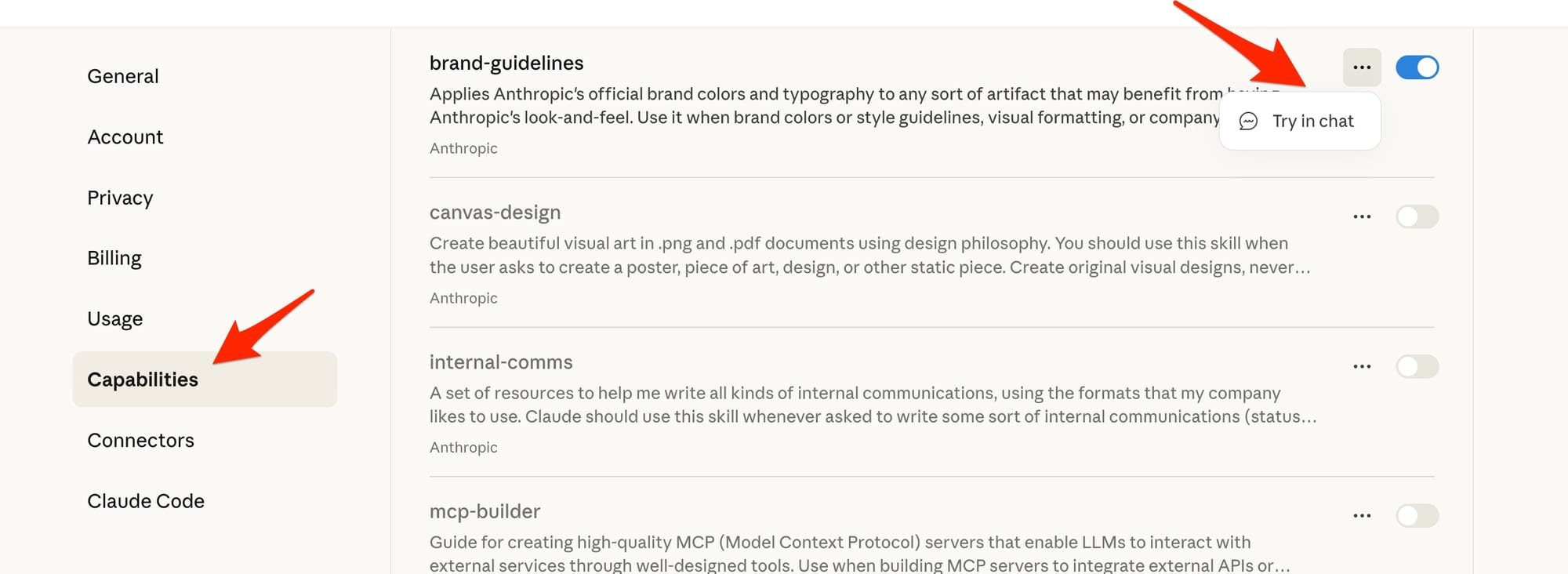
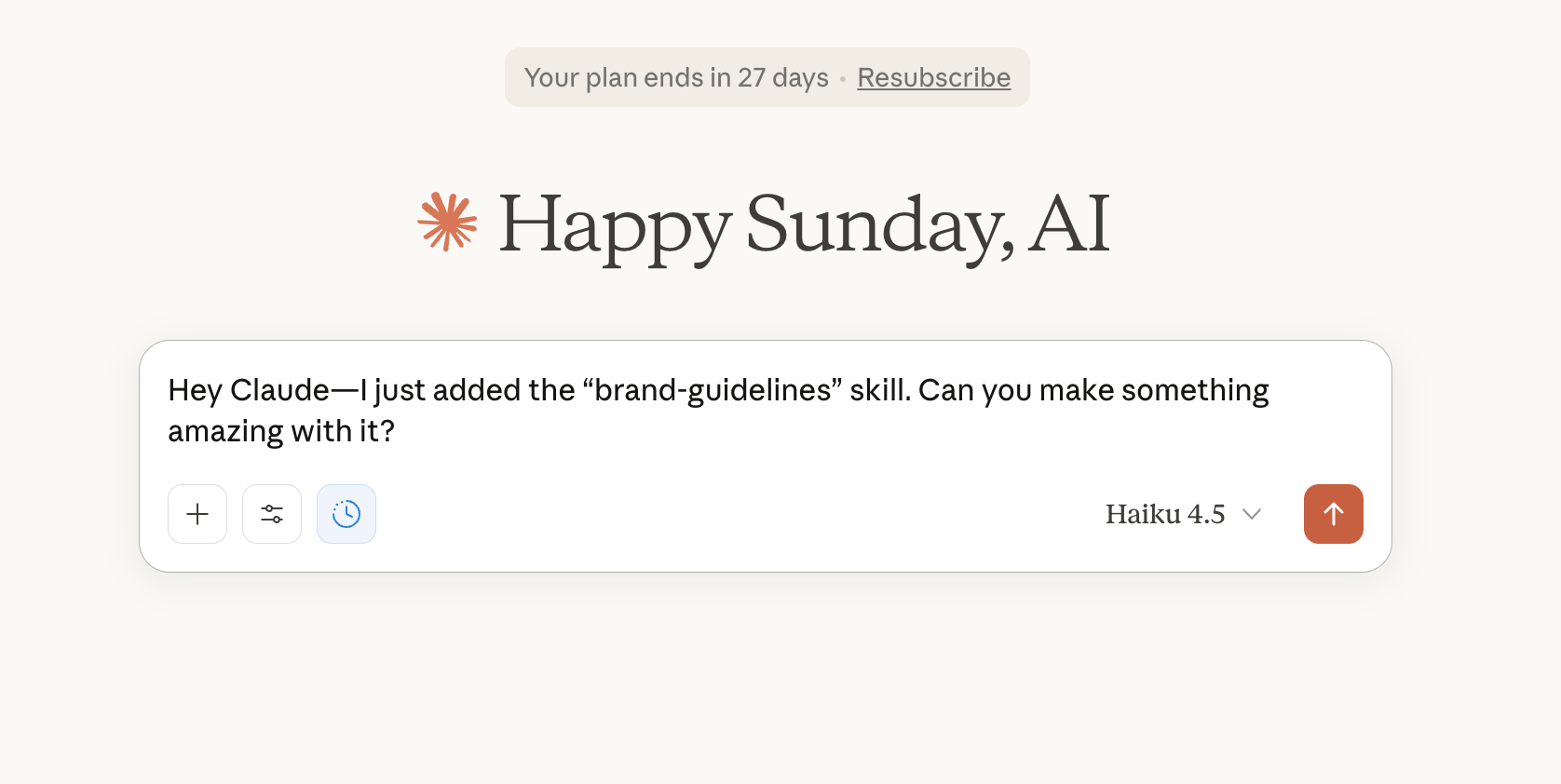
Behind the scenes, Claude's thought process looks like this:
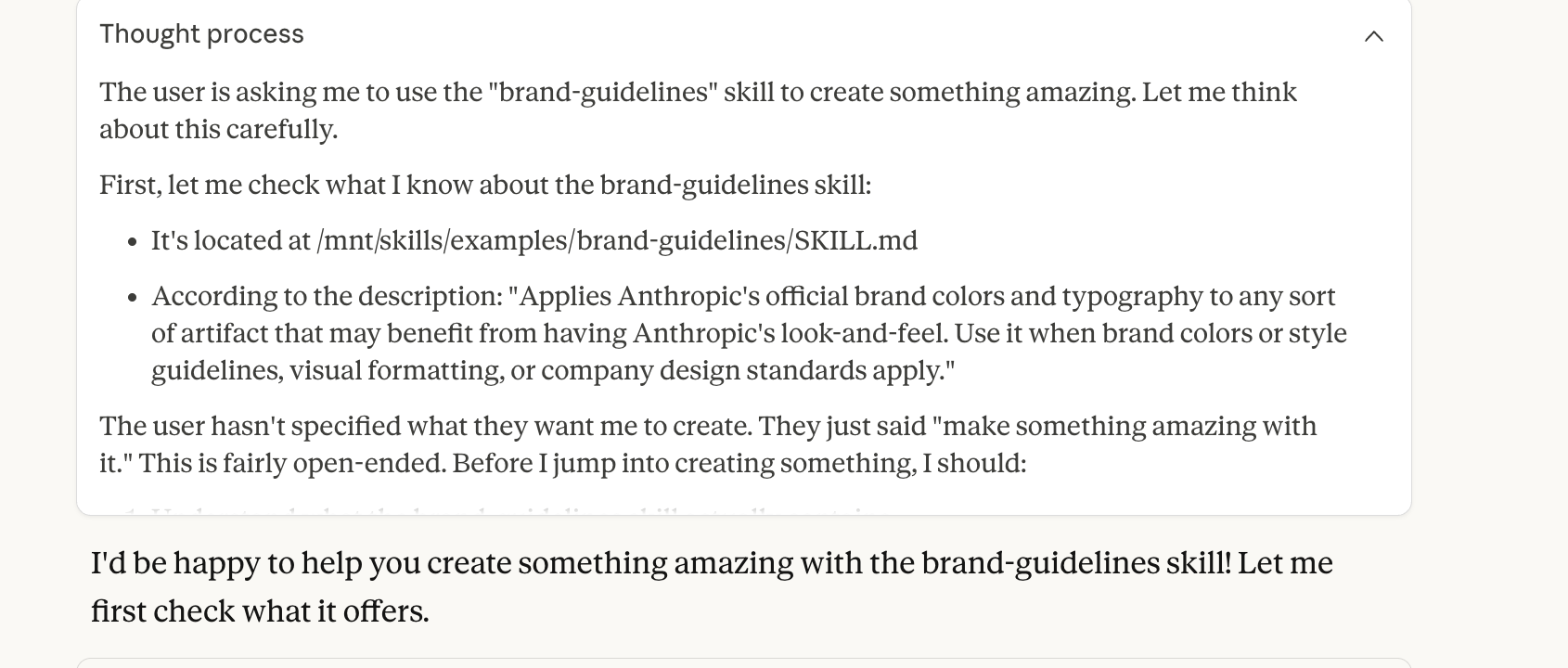
Claude reads the skill's description: "Applies Anthropic's official brand colors and typography to any sort of artifact that may benefit from having Anthropic's look-and-feel."
Then it creates an artifact automatically incorporating those brand standards—without you having to specify colors, fonts, or any design details.
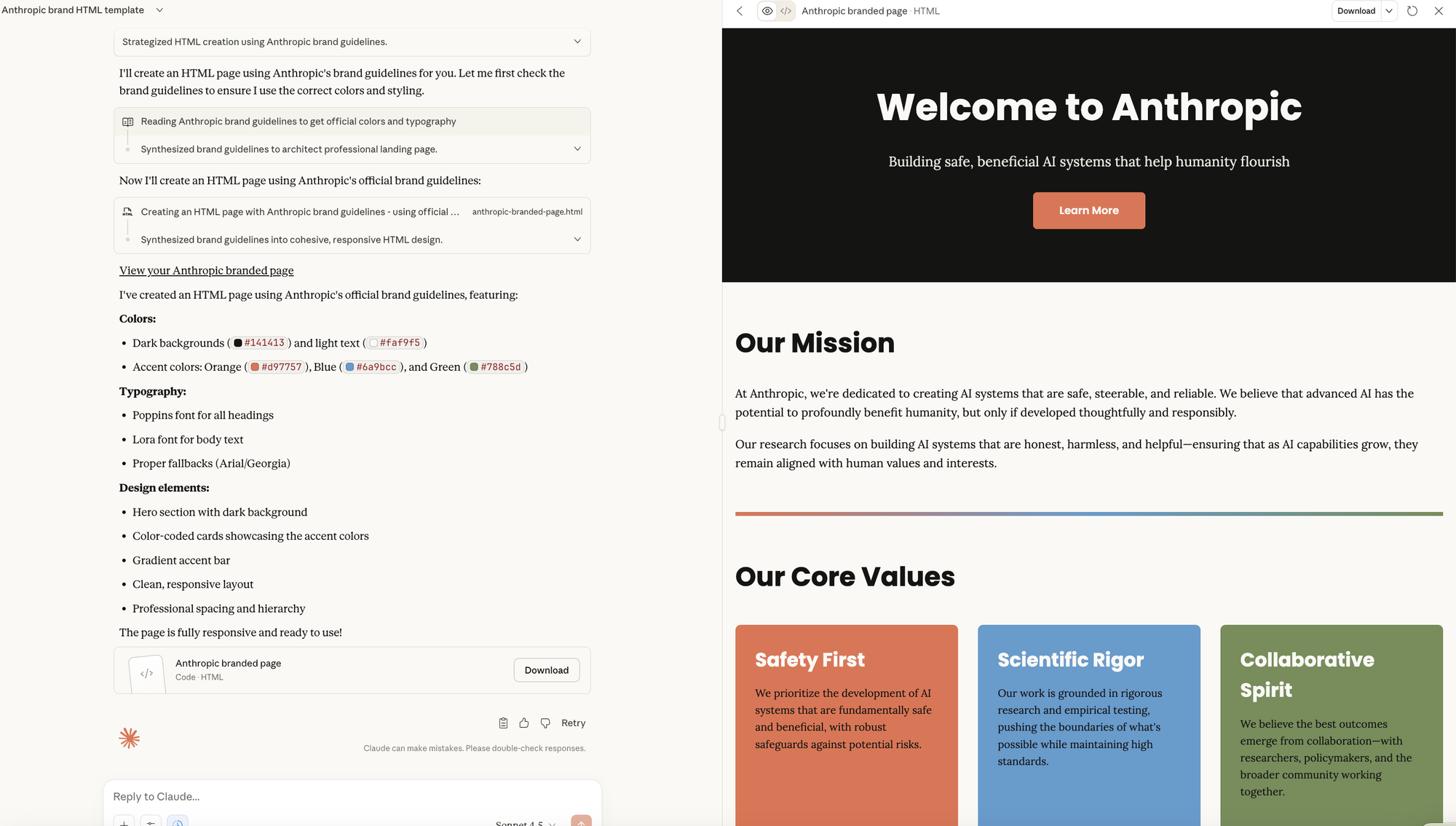
This is the power of Skills: complex requirements become invisible. The skill handles all the details while you focus on what you want to create.
Creating Skills with Claude
Here's where it gets really interesting: you can ask Claude to help you create Skills.
Let's say you want a skill for writing engaging blog posts. You simply ask:
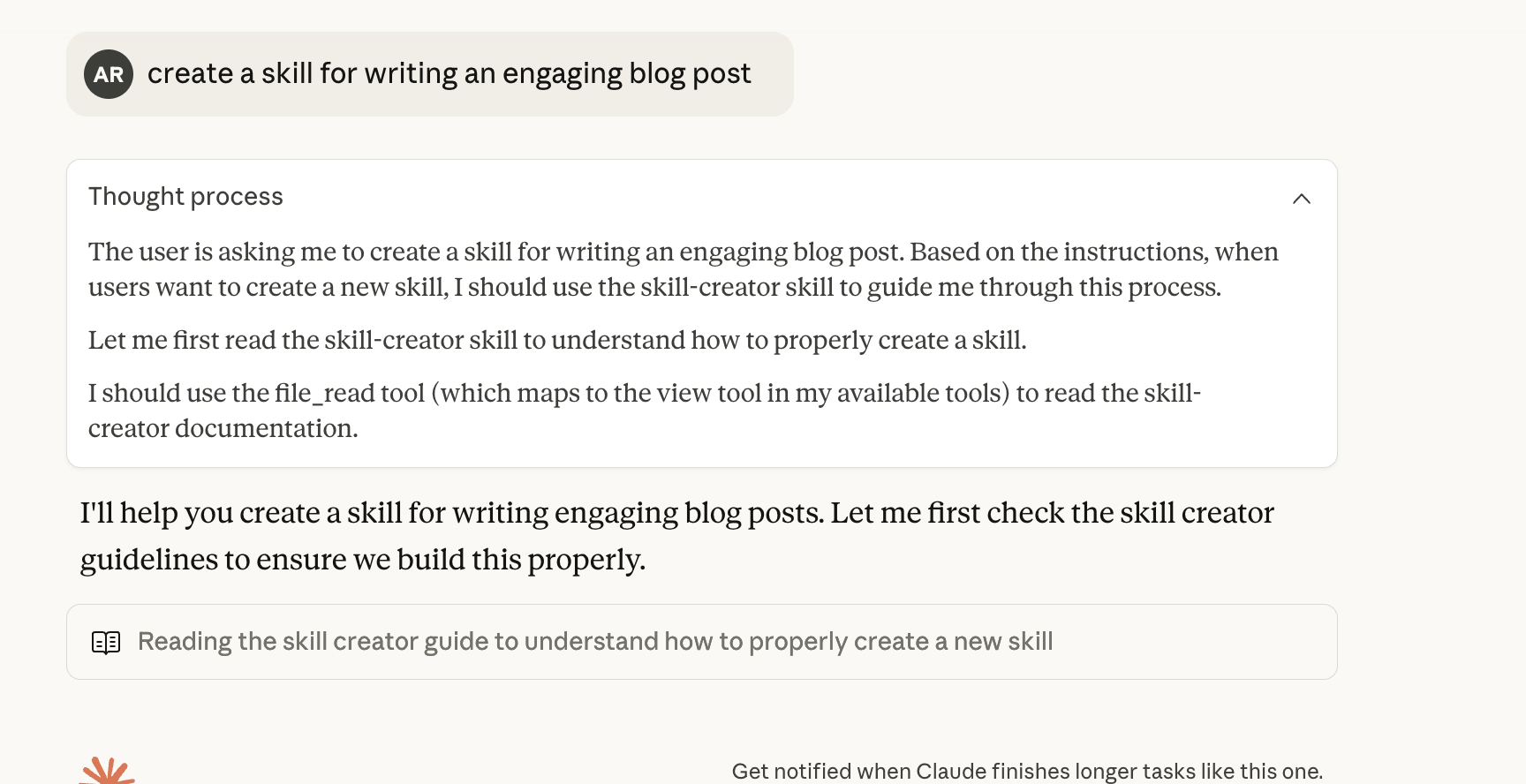
Claude understands what you're asking and follows a systematic process:
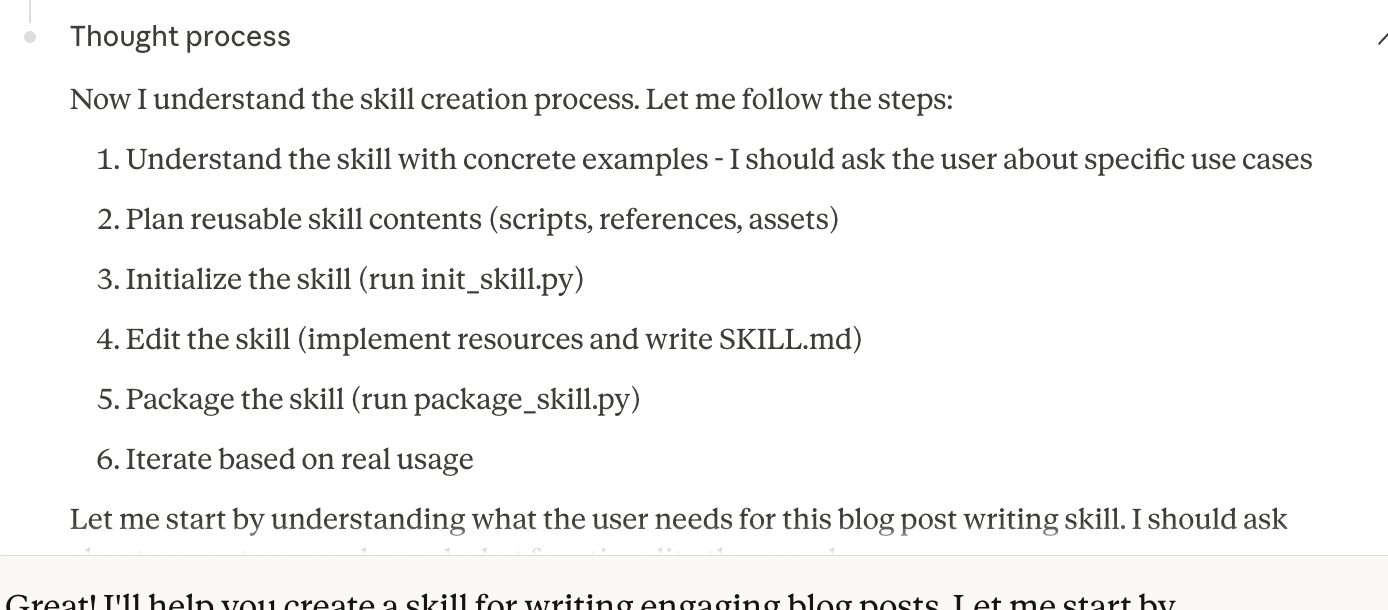
Claude reads the skill-creator documentation, then walks through the process:
- Understanding your specific use cases
- Planning reusable skill contents (scripts, references, assets)
- Initializing the skill structure
- Creating the SKILL.md file with instructions
- Packaging everything as a ZIP file
- Iterating based on real usage
After a brief conversation where Claude asks about your needs, it creates the complete skill package.
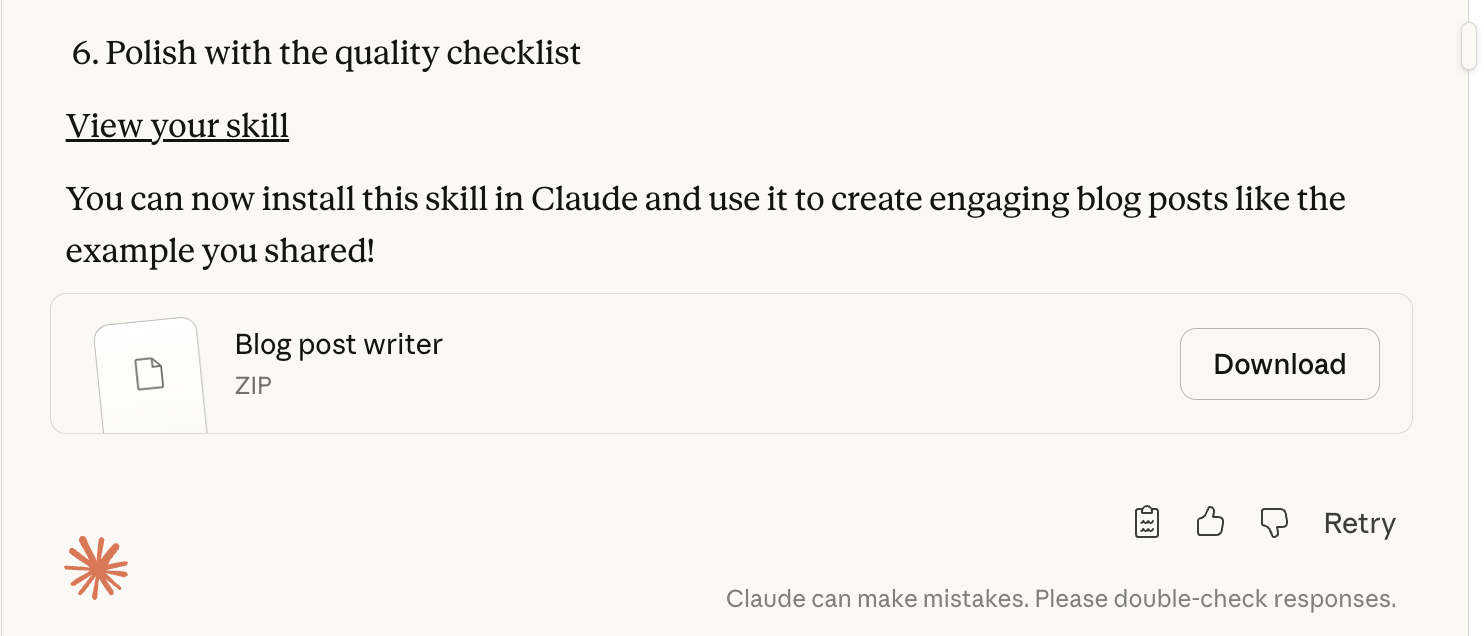
You download the ZIP file, upload it through Settings > Capabilities, and toggle it on.
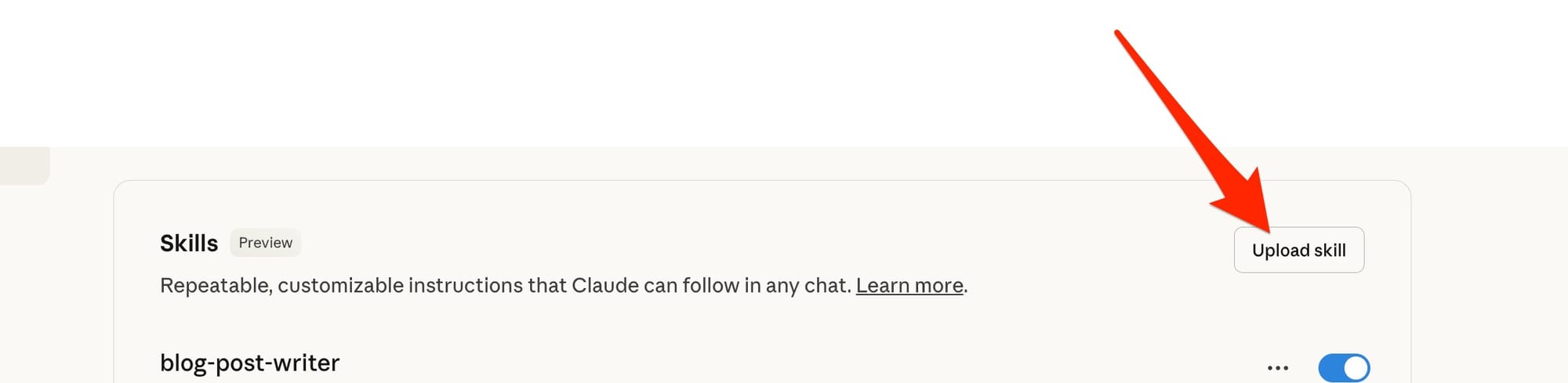

Now every time you ask Claude to write a blog post, it automatically follows the comprehensive guidelines you established together—without you having to repeat those instructions ever again or even telling it to use this skill.
Custom Skills: Teaching Claude Your Workflows
The real power emerges when you create custom Skills tailored to your specific needs.
Let's say you work at a company with strict brand guidelines. Instead of repeatedly explaining your color palette, typography, and tone of voice with every request, you can create a Brand Guidelines Skill. Upload it once, and Claude automatically applies your standards to any artifact it creates.
Or imagine you're a data analyst who frequently generates the same types of reports. Create a Reporting Skill that encodes your preferred structure, visualizations, and analysis frameworks. Now every report Claude generates follows your established patterns.
Custom Skills are packaged as ZIP files containing your instructions and any supporting resources. Once uploaded, they appear in your Skills list and can be toggled on or off as needed.
Want to see examples? Check out Anthropic's Skills repository on GitHub for inspiration and templates.
Real-World Applications
Team Collaboration
A development team creates a "Code Review Skill" that automatically checks for common patterns, security issues, and style guidelines. Every code review Claude performs now includes these checks automatically.
Content Creation
A marketing team builds a "Content Workflow Skill" that guides Claude through their content creation process: audience research, outline creation, drafting, and SEO optimization. Every piece of content follows their proven formula.
Financial Analysis
An investment firm develops a "Due Diligence Skill" that structures financial analysis according to their specific framework. Analysts save hours on every deal by having Claude automatically apply their methodology.
And much much more.
Security Considerations: What You Need to Know
Before you dive deep into Skills, it's important to understand the security landscape. Skills operate in Claude's sandboxed environment, but certain risks still exist.
The primary risks are prompt injection—which allows Claude to be manipulated to execute unintended actions—and data exfiltration, caused by malicious package code or prompt-injected data leaks. Anthropic has implemented several mitigations to these risks, but your vigilance remains important.
The Golden Rule: Only install Skills from trusted sources.
If you're using a Skill from someone else, audit it thoroughly before enabling it.
Wrap-Up
Skills represent a fundamental shift in how AI processes information. Instead of forcing Claude to read every specification and schema upfront like traditional tools, Skills let it work the way humans actually work—skimming to understand what's available, then diving deep only where needed. This human-like approach makes Claude more efficient and more reliable. Less token waste. Fewer hallucinations. More predictable results. The more Skills you add, the smarter Claude becomes at choosing the right tool for each task without overthinking.
This is a new approach, and of course, much of this is speculation at this early stage—but it seems like a super interesting sweet spot that fits far more naturally into how we actually work.